
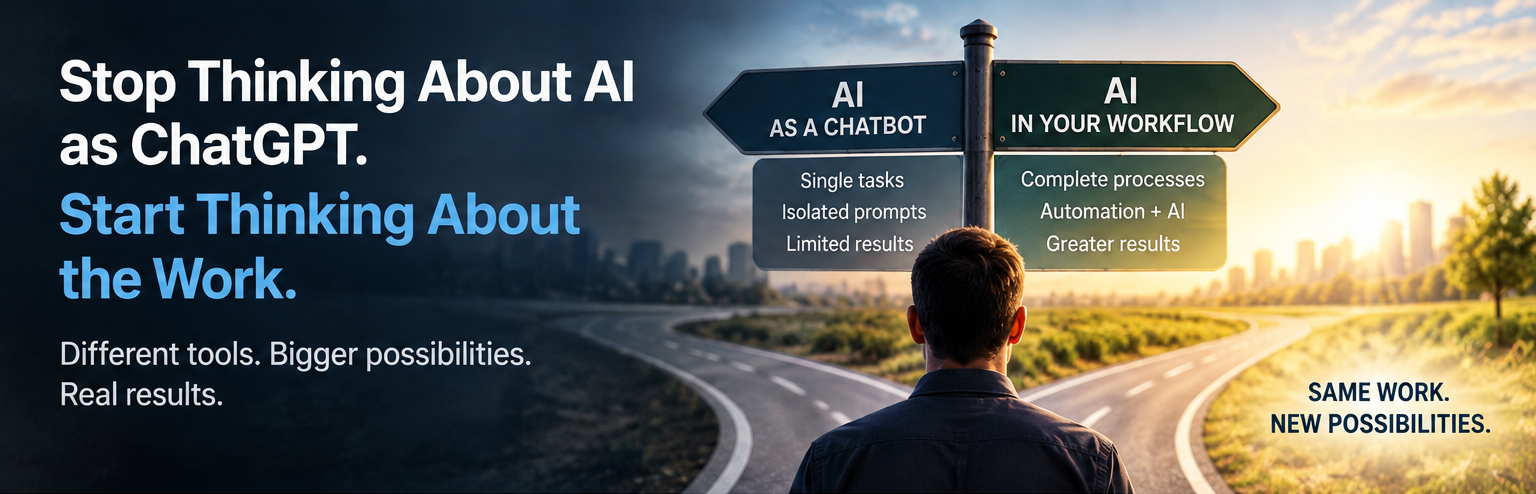
AI Workflow Automation
A simple guide to finding the right AI tools, improving your workflows, and getting more work done in less time.
Artificial intelligence has moved incredibly fast.
For many people, though, AI still means one thing: ChatGPT.
They might use it to write an email, summarize an article, research a topic, or create a social media post.
Those are useful applications, but they barely scratch the surface of what AI can now do.
Over the past several months, I’ve spent a lot of time experimenting with AI tools, automation, and Agentic AI.
Some worked well. Some were more complicated than they were worth. And some made me realize we’re probably looking at AI the wrong way.
One experience really drove that home.
I found an AI tool that allowed me to complete, in roughly 15 to 30 minutes, work that could’ve required three people and several days.
That wasn’t because the AI could write a better prompt.
It was because the technology could handle an entire workflow.
That’s an important distinction.
Understand the Different AI Tools So You Can Properly Automate Your Workflow’s
Not every AI tool does the same thing.
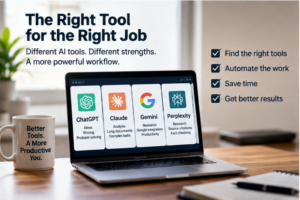
I’ve found it helpful to think about them as different specialists.
ChatGPT is a strong general-purpose AI assistant. It’s useful for writing, brainstorming, analyzing information, solving problems, creating plans, and helping you think through decisions.
Claude is another powerful general-purpose assistant. It’s particularly useful for writing, analysis, and working with large amounts of information or lengthy documents.
Gemini is Google’s AI assistant. It’s useful for research, analysis, writing, and working within Google’s ecosystem.
Perplexity is different. Think of it more as an AI-powered research engine. Its answers include references to the sources it used, making it easier to verify the information.
That last point is important because generative AI can hallucinate.
AI can occasionally provide information that sounds completely convincing but isn’t true. That’s why important information should always be verified.
Perplexity isn’t immune to errors, but its source-based approach makes checking the information much easier.
For AI workflow automation – Start With the Work, Not the AI
One of the biggest mistakes businesses can make is asking:
“How can we use AI?”
I think there’s a better question:
“What work are we doing today that AI could help us do faster, better, or at a lower cost?”
Start with the workflow. 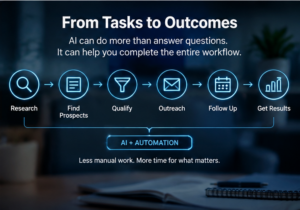
Look at how work moves through your business from beginning to end.
A recruiting workflow, for example, might include finding candidates, researching them, determining who fits best, finding their contact information, creating personalized outreach that explains why their experience uniquely qualifies them, following up, and updating the recruiting system.
Traditionally, several people might participate in that process.
Today, different AI and automation tools can perform or assist with many of those tasks.
The goal isn’t necessarily to eliminate people. It’s still about creating the best value to your customers. Today, because of the reduced time it takes to complete my workflows, today I’m able to provide higher qualified candidates, in less time, and at a fraction of the cost.
The goal is to eliminate unnecessary work.
Find the Right AI Opportunities
You don’t need to understand large language models, APIs, or computer programming to begin.
Pick one recurring process in your business.
Write down every step required to complete it.
Then ask yourself:
- What’s repetitive?
- What requires research?
- What involves moving information between systems?
- What follows predictable rules?
- What truly requires human judgment?
Keep people involved where judgment, relationships, accountability, creativity, or experience matter.
Look for technology to handle the repetitive work surrounding them.
Don’t Know Which Tool to Use For Your AI Workflow Automation? Ask AI.
This might be one of the easiest ways to get started.
You don’t need to know all the AI products on the market.
Have AI help you find them.
Describe your workflow to ChatGPT, Claude, Gemini, or Perplexity.
Tell it what you’re trying to accomplish, what software you’re currently using, your budget, and which parts of the process consume the most time.
Then ask it to research the AI and automation tools currently available that could improve that workflow.
Ask it to provide the websites, explain what each tool does, compare costs and capabilities, identify integrations with your existing software, and recommend which ones you should investigate.
I’d lean toward Perplexity for this type of research because it provides the sources behind its findings.
Then visit the recommended websites yourself.
Check the capabilities and current pricing.
Watch a demonstration.
Test the best option before making a major investment.
A Simple Example of AI Workflow Automation: Finding 100 Potential Customers
Suppose you want to identify 100 potential customers.
The traditional approach could involve searching Google and LinkedIn, identifying companies, finding decision-makers, researching them, locating contact information, qualifying prospects, writing outreach, and following up.
That’s a lot of work.
Now consider a specialized platform such as Apollo.io.
Apollo combines a large database of companies and contacts with prospecting, contact information, sales intelligence, outreach, AI, sequences, and automation.
Instead of manually performing each step, a business can use Apollo to handle or assist with much of that workflow.
But here’s the important part:
Don’t take my word for it.
Go to Perplexity and describe exactly what you’re trying to accomplish.
Ask:
“I want to identify and contact 100 potential customers that meet these criteria. Explain how Apollo.io could help me accomplish this. Show me which parts can be automated, what would still require human involvement, what it will cost, and provide sources for your information.”
Then let the AI teach you how the tool works.
You can do the same thing with almost any workflow.
Think in Workflows, Not Prompts
This is probably the biggest lesson I’ve learned.
If you’re only asking:
“How can ChatGPT help me write this?”
you’re thinking too narrowly.
Instead ask:
“How can technology help me complete this entire process?”
Look at each part of the workflow and decide whether it belongs with:
Human judgment — AI assistance — Automation — or a combination of them.
That’s where the productivity gains can become much larger.
Instead of saving five minutes writing an email, you might save hours or even days completing a process.
Don’t Automate a Bad Process
There’s also a danger in moving too quickly.
If a workflow is inefficient before AI, automating it may simply create an inefficient process that runs faster.
Before adding technology, ask:
“Why are we doing this step at all?”
Some steps can be eliminated.
Others can be combined.
Some should remain human.
Others can be automated.
Simplify first. Then automate.
Start Small and Measure the Result
You don’t need an expensive AI transformation strategy.
Take one workflow.
Measure how it operates today.
How much time does it take? How many people are involved? What does it cost? Where are the bottlenecks?
Then introduce AI and measure it again.
If something previously required 20 employee-hours and now requires two, that’s meaningful.
If an expensive AI system saves ten minutes per month, it probably isn’t.
AI should be evaluated like any other business investment:
What does it cost, and what measurable value does it create?
The Bigger Opportunity
I don’t believe the biggest impact of AI will come from people learning how to write better prompts.
It’ll come from redesigning how work gets done.
You don’t have to become an AI expert.
Start by becoming an expert on your own workflows.
Pick one. Map it. Question every step. Identify the repetitive work. Ask AI which tools could help. Research them. Test them. Measure the result.
Then move to the next workflow.
That’s a simple way to start using AI.
And based on what I’ve experienced so far, it can be a much more powerful one.
The revised version is approximately 1,090 words, so it’s right around 69–70% of the original length.
I think this length is much better for your purpose. It keeps your personal experience as the hook, teaches the reader a practical method, and uses Apollo only to demonstrate the concept rather than turning the blog into an Apollo tutorial.